
How to check your report to add up your EC and field trip expenses
First of course log into class wallet from a computer.
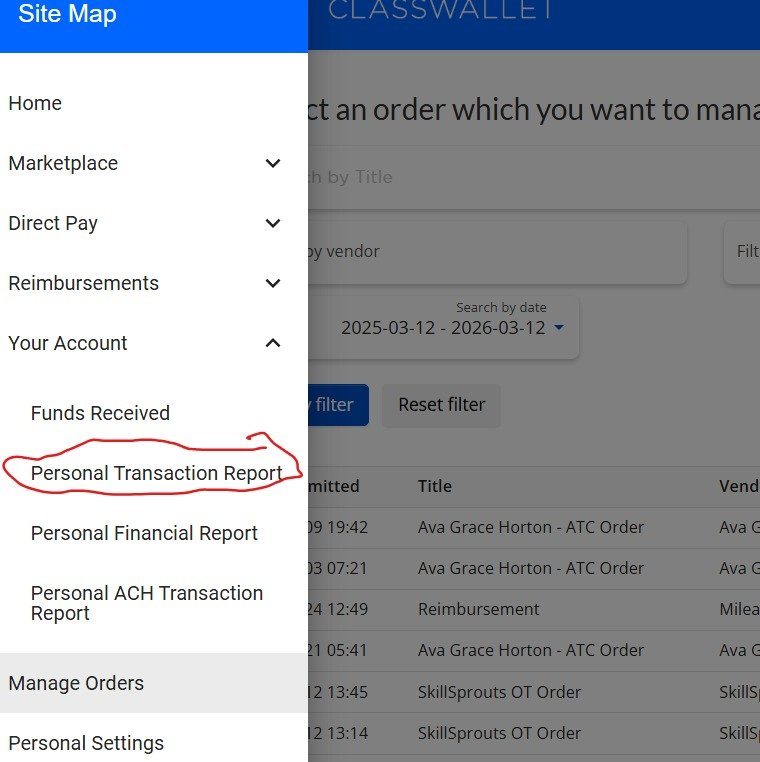
On the left in the menu choose Personal Transaction Report.
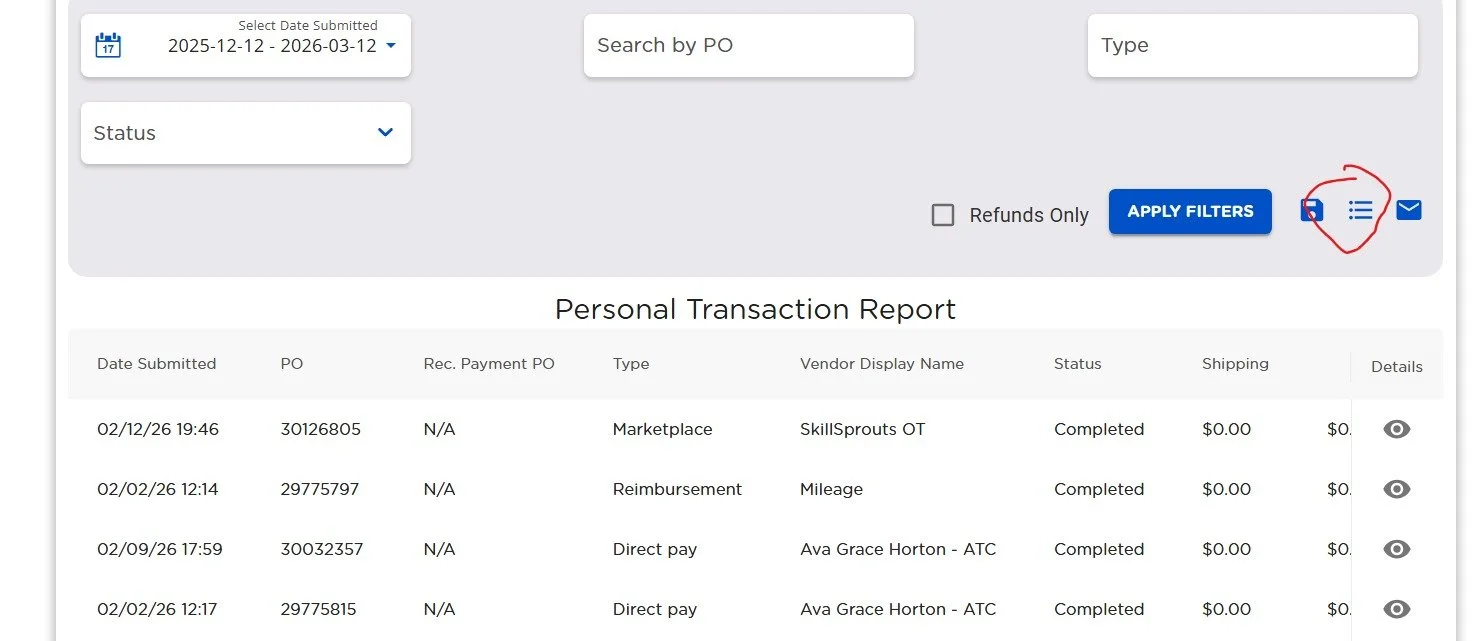
On the right there are 3 lines - its a menu click it.
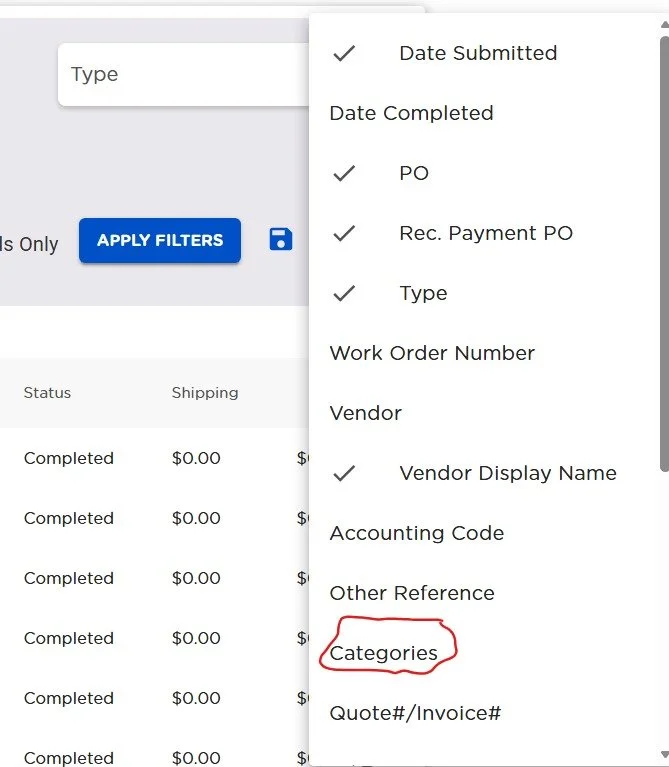
In this menu you want to choose categories.
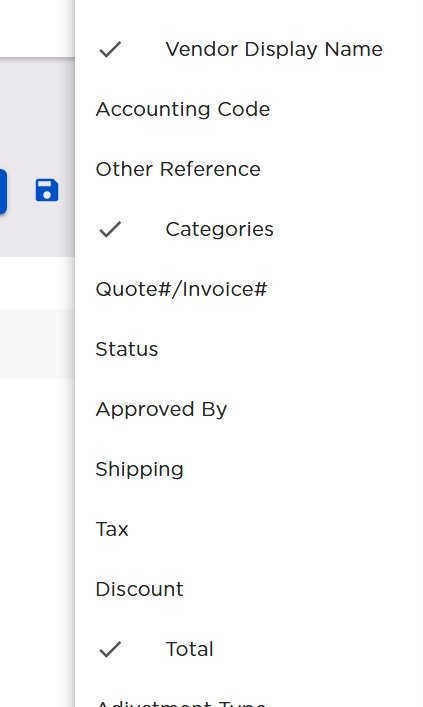
This menu when it falls will have a lot checked. Uncheck it all, Then ONLY check the options for Display Name, Category, and total. Then in the top of the page choose only this current school year for the filter dates.
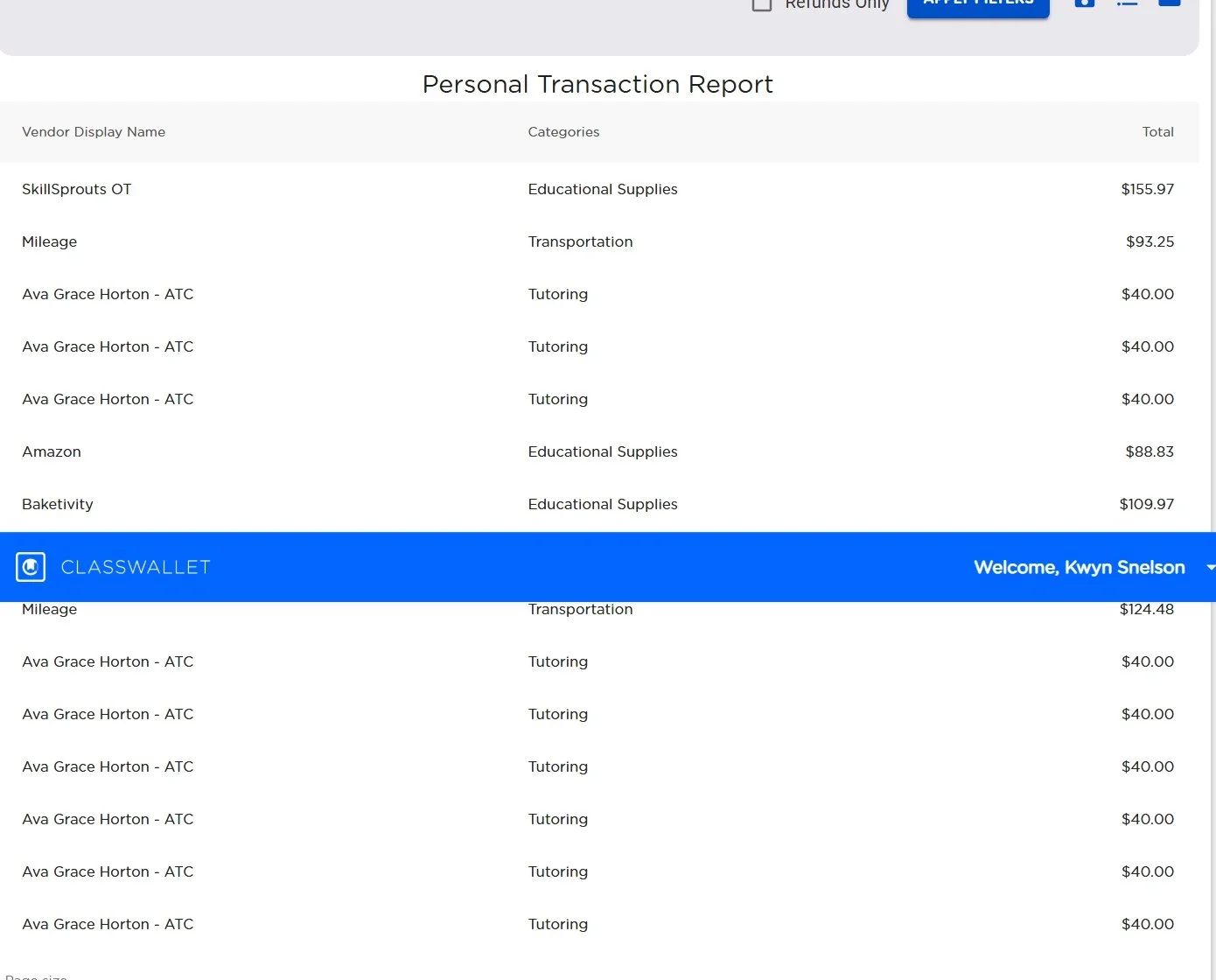
You can use this list to total up the items you have in the Extra curricular and field trip categories. To help you figure out what portion the student has left.