Accepting a Payment Request
I made this because some of you are better able to follow with images verses the video and because the videos don’t always load well on all devices. But here is the link to the tutorial classwallet has. HERE
If images work better for you continue…
So, you linked to your vendor, You are ready to go with this new system. Now your vendor can send you a request for payment right inside classwallet.
What do you do next??
First, have them send that request!!
Once they send you a request you will receive an email so that you can hop on over and approve it!
SO, let’s go get it approved.
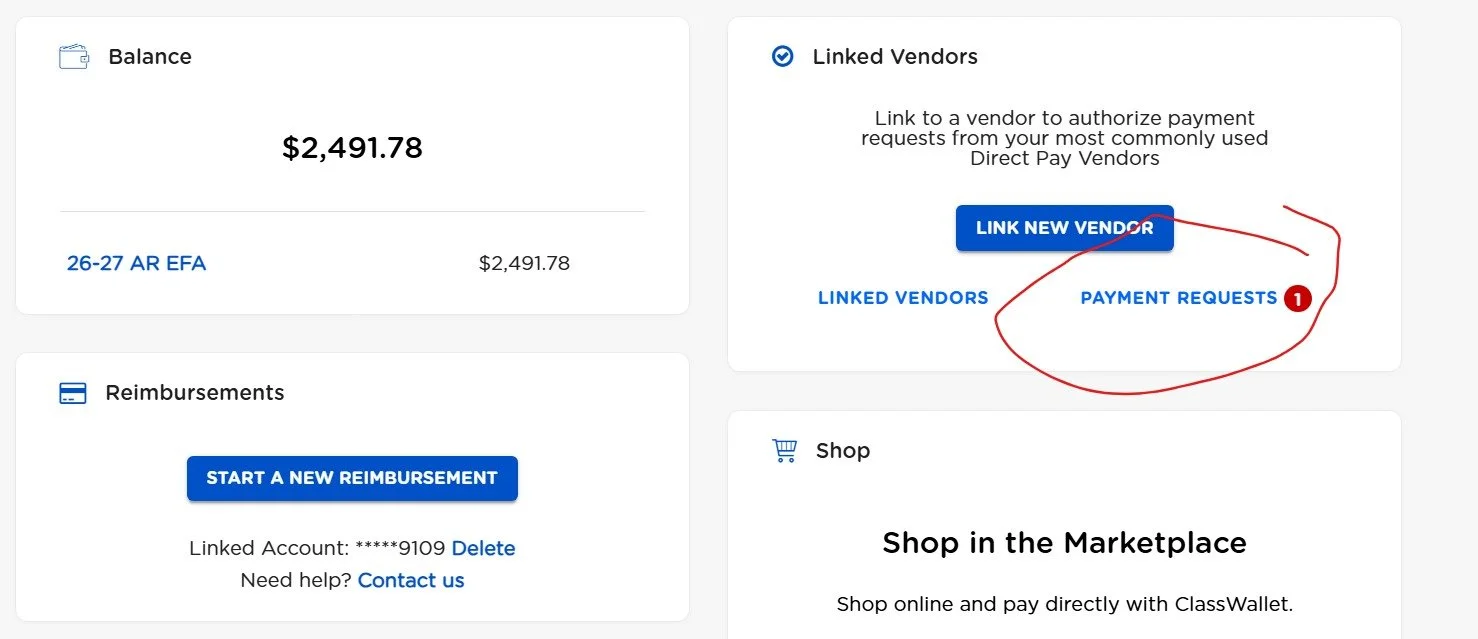
You will find the payment request by clicking right here where you will see the red bubble. You will have to be on the correct child if your page loads to a different child just navigate to the right one and you will see it.
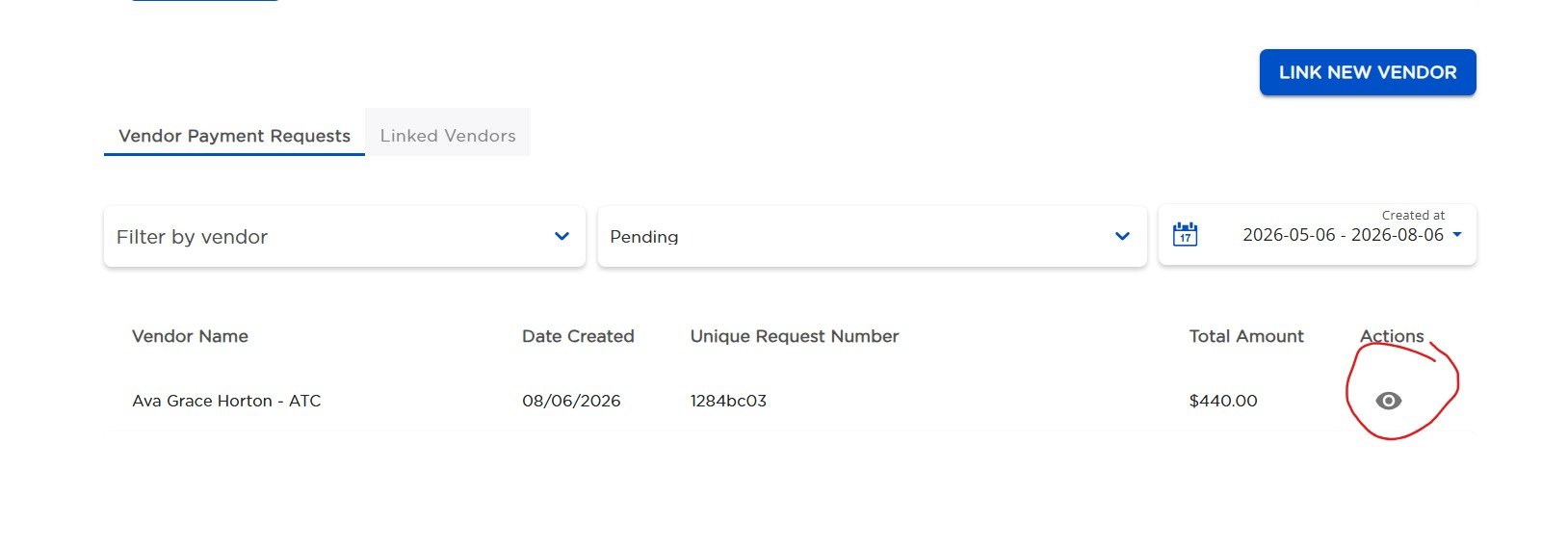
Now poke this sucker in the eye here. Where it says action click the little eye.
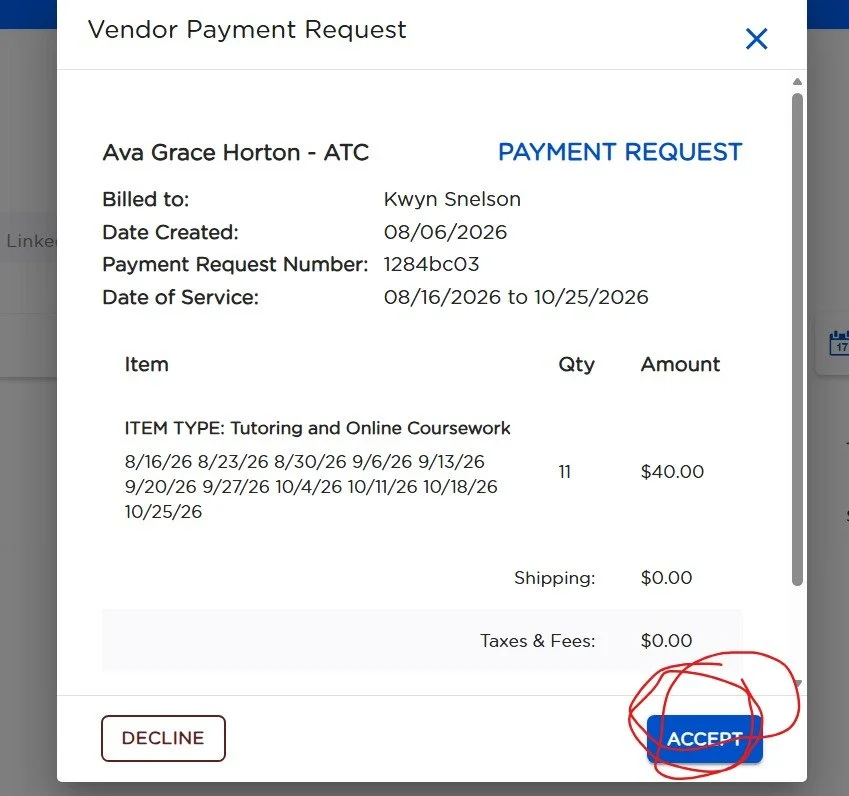
You will now see the information for the request, It will show you here the amount, what it is you are paying for, the dates. Check ALL of this to make sure it is accurate. If it is let’s click ACCEPT.
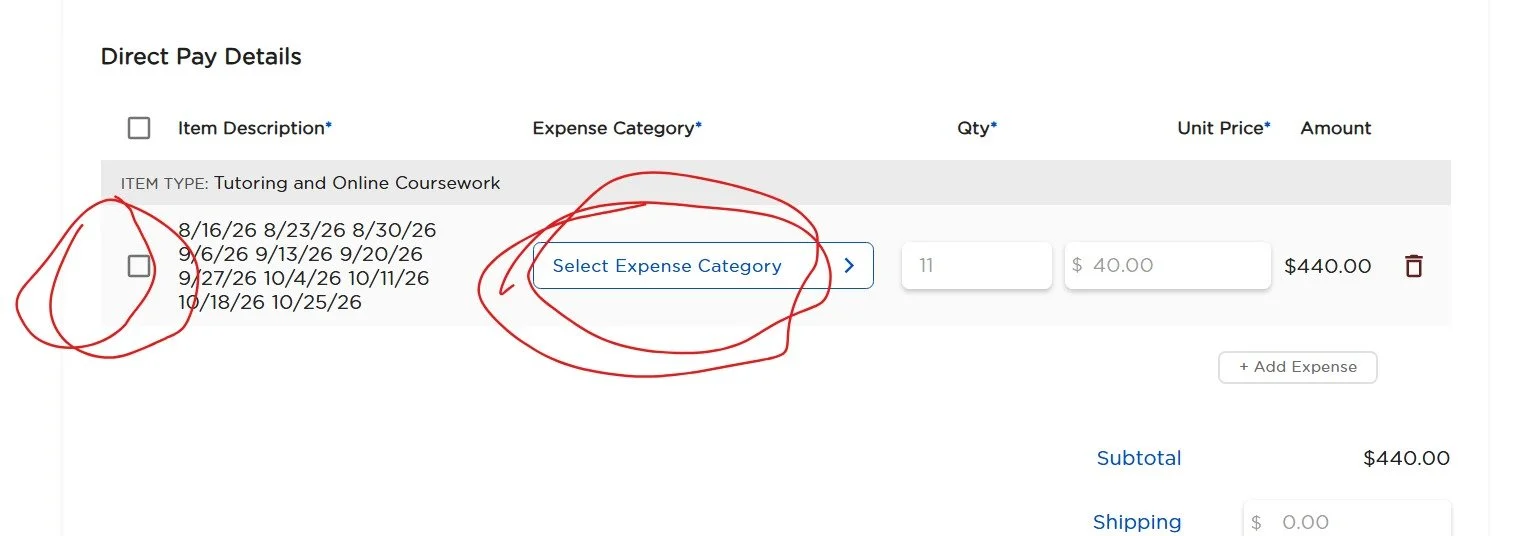
You need to BOTH check the little square AND select the category the expense belongs to.
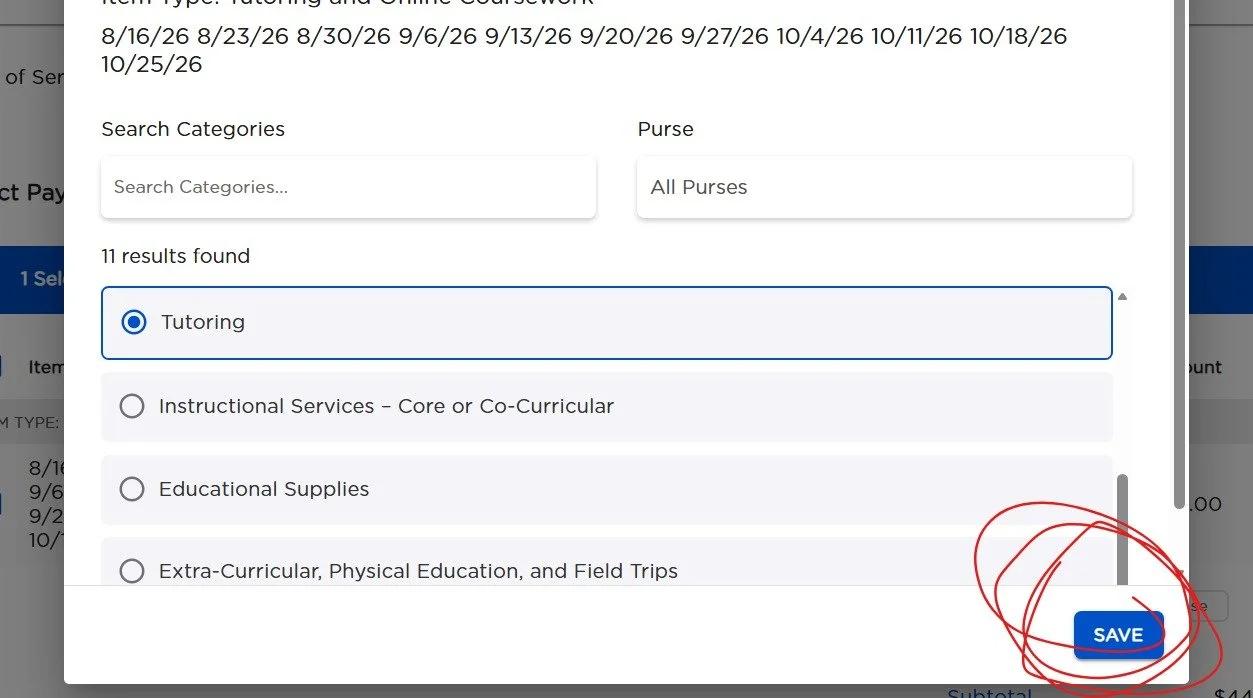
See here I selected tutoring. This payment request was for my daughters tutoring for the First Quarter.
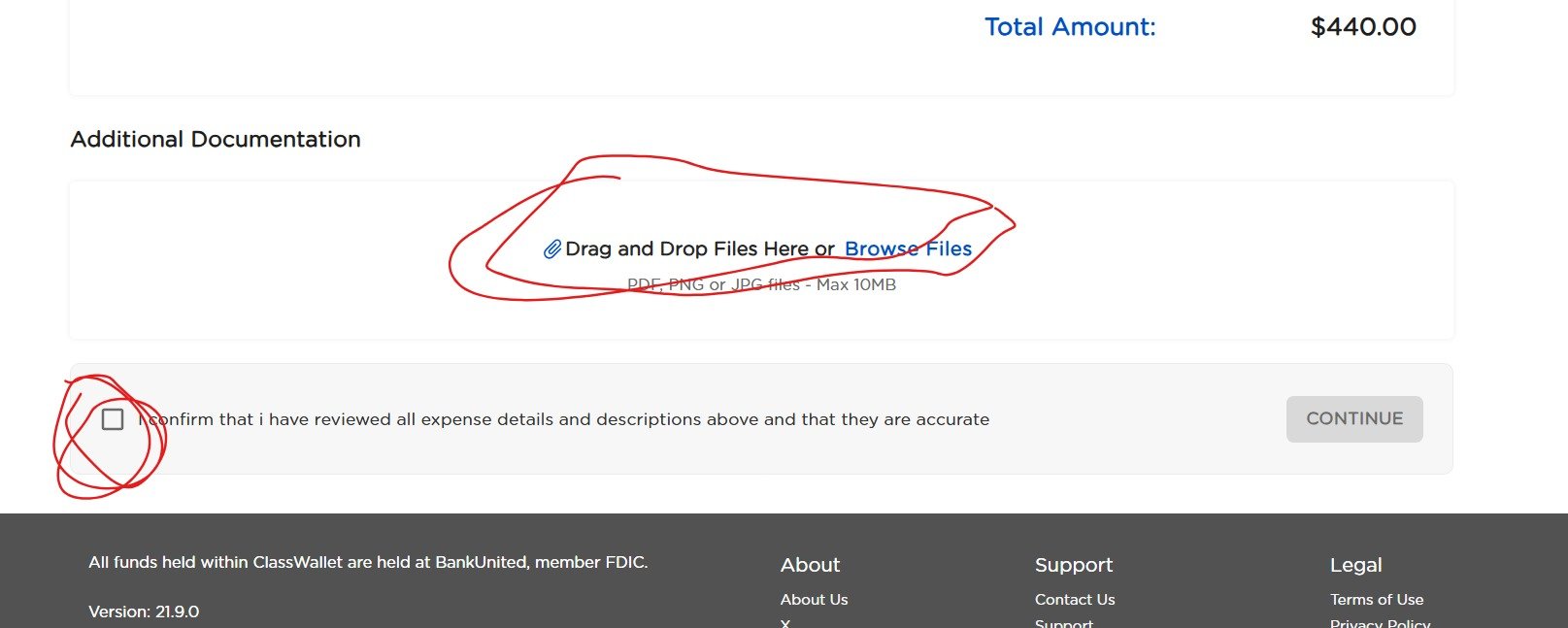
On this screen it will give you a spot to add documentation. If this is something you need to upload a preapproval or information about the service or any other documents needed here is where those go. Also click the confirm box here.

Once you click the box it will let you continue.
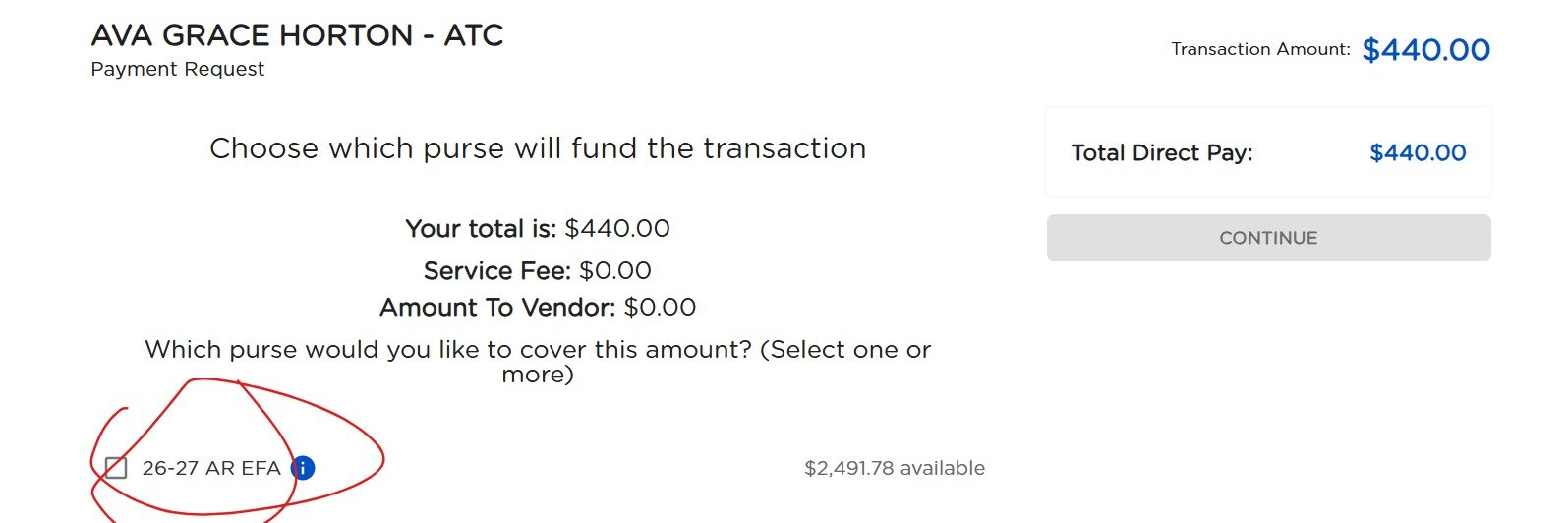
You now need to select the purse here. Click 26-27 AR EFA
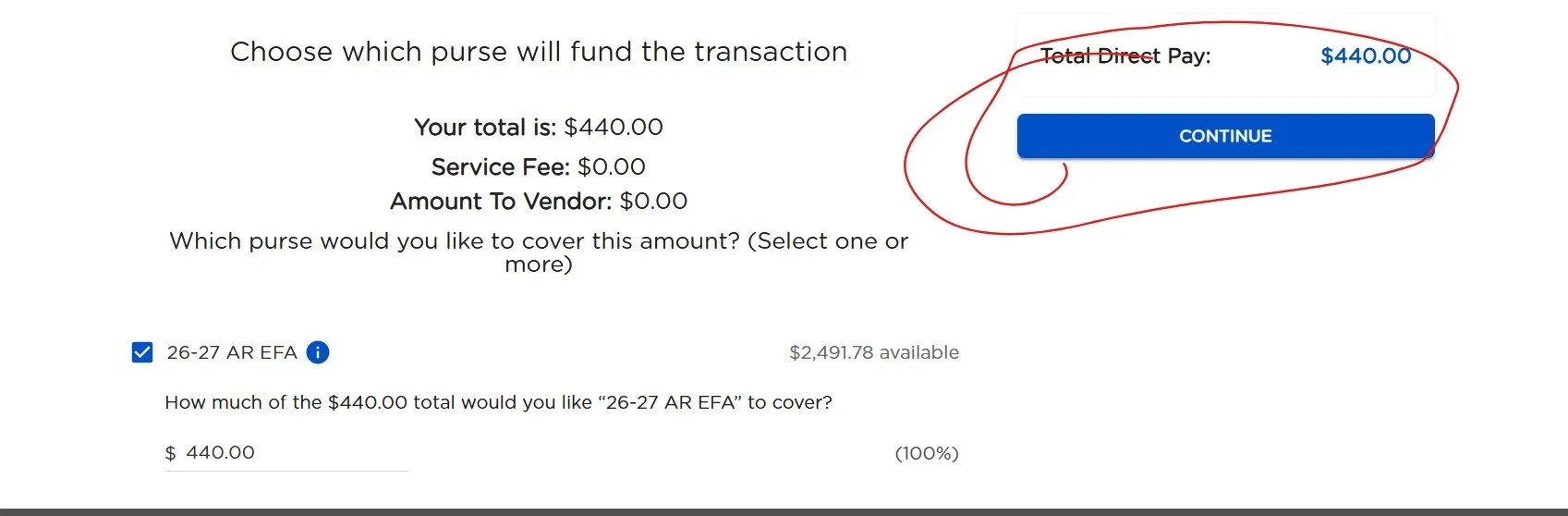
Once you select the box the continue button will light up so go ahead and click that sucker.
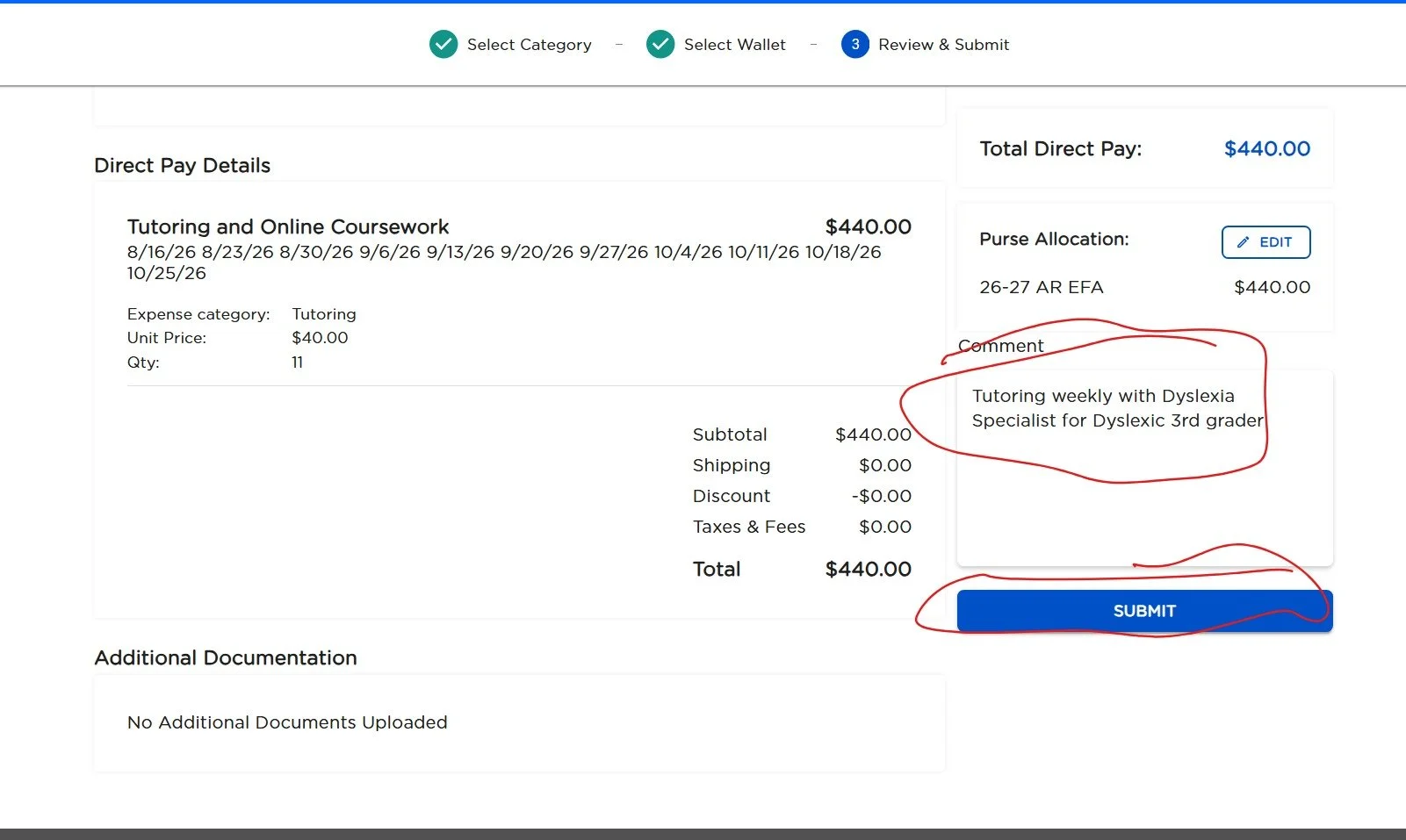
Now here is your comment box. ALWAYS leave some sort of comment stating what this is for. Any little details you should be adding like why the student needs the service ect just put it here. Then click the SUBMIT button.
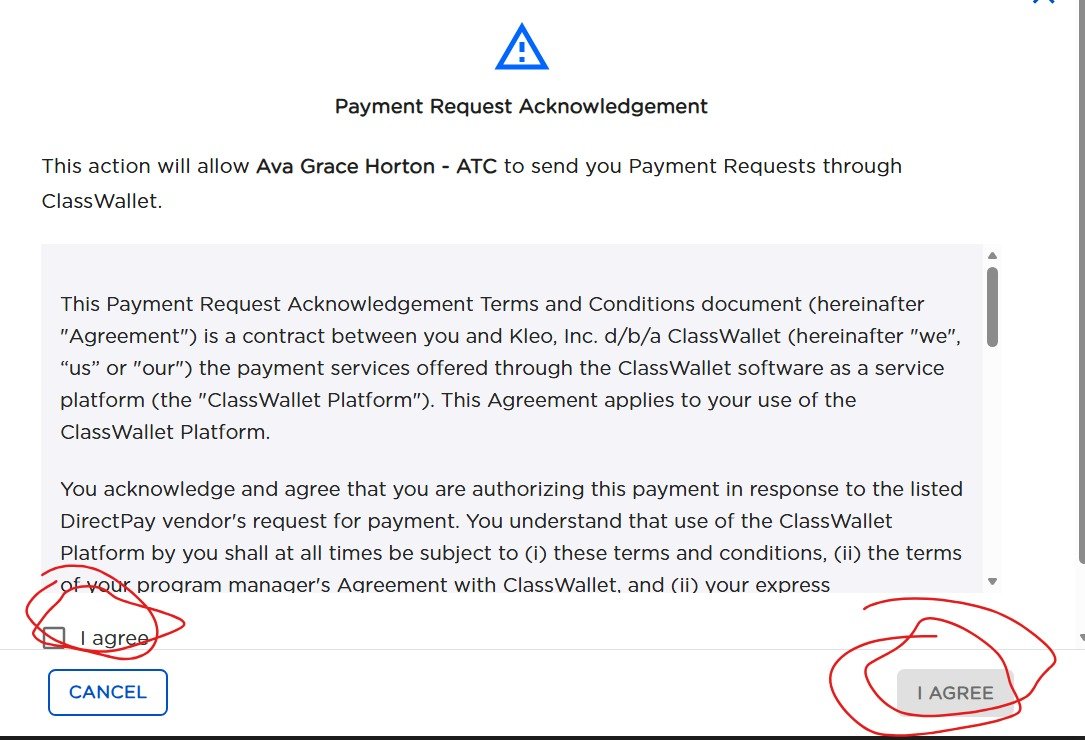
You will need to scroll to view the entire acknowledgement. Then click the box by the left I agree, and the right I agree will populate. Click it now too.
CONGRADULATIONS!!
You sent the approval for this request. You vendor will now be able to see that you accepted it. And as soon as the EFA staff approves it the process is complete. They were moving fast on opening day my tutor’s request once I approved it was approved by the office in 30 minutes. Don’t expect it will remain THAT fast, especially right after Q1 funds drops. But it will remain a lot faster than other options. And reduce waits emailing information back and forth with the vendor.
Starting this process does require contacting the vendor first of course so that they can have the correct information to send the request. But I have high hope that this will make things much easier on our service providers.